Games & overlays
Everything you can put on stream, with its recommended OBS size and the mod command that starts it. Sizes are native pixel dimensions; in the All-in-One overlay they scale automatically.
sports_esportsChat games
| Game | What it does | OBS size | Start |
|---|---|---|---|
| Poll | Live poll with up to 6 options; viewers vote in chat. | 600×310 | !epoll |
| Trivia | Single- or multiple-choice trivia, with a per-channel custom bank. | 600×240 | !etrivia |
| Guess the Number | Viewers guess a hidden number; the overlay shows hotter/colder as they get close. | 380×440 | !enumber |
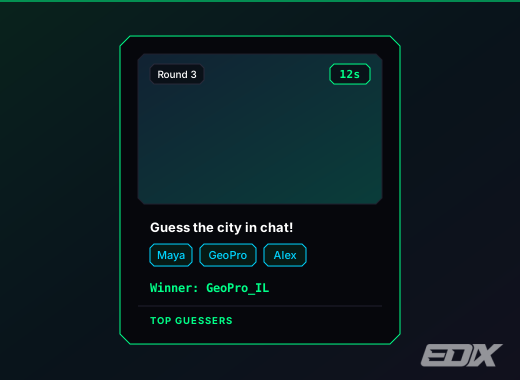
| Guess the City | A city photo appears; the first viewer to type the city wins. | 480×470 | Dashboard |
| Guess the Flag | A country flag appears; the first viewer to name the country wins. | 480×470 | Dashboard |
| Guess the Pokémon | Who's that Pokémon? A silhouette appears; the first correct guess wins. | 480×470 | Dashboard |
| Guess the Famous | A celebrity photo appears; the first viewer to name them wins. | 480×470 | Dashboard |
| Giveaway | Keyword-entry giveaway. Subscribers can get bonus odds (or be the only ones allowed in), the winner can be made to claim within a time limit, and you can pay out points. | 420×320 | !egiveaway |
| Chat Arena | Boss raids, tug-of-war, hot potato and combo chains. | 620×410 | !eboss … |
| Arena Battle | Live streamer-vs-streamer battle — challenge another EdiX streamer; each chat fuels its own side with messages and/or Kicks. | 640×340 | Dashboard |
| Coin Flip | Heads-or-tails flip on screen. | 360×360 | !ecoin |
| Spin Wheel | Wheel of fortune; can auto-spin on sub milestones. | 500×500 | !espin |
| Words on Stream | Find words in scrambled letters — combos, golden letters, pangrams. | 900×480 | !ewords |
| Pokémon | Chat catches wild Pokémon cards. | 520×430 | !ehit |
| My Hits | Your best Pokémon pulls, ranked. | 340×460 | Dashboard |
| Set Top Hits | Top pulls from a chosen card set. | 340×460 | Dashboard |
tvWidgets & tools
| Widget | What it does | OBS size | Notes |
|---|---|---|---|
| Chat Goal | A goal bar that fills toward a target. | 520×180 | Dashboard |
| Leaderboard | Live top-viewers points leaderboard. | 340×320 | — |
| VIP Leaderboard | Per-category VIP standings, rotating through the categories you enable. | 340×360 | — |
| Hype Meter | Chat-driven intensity bar. | 500×80 | — |
| Hype Train | Escalating hype train through levels. | 760×200 | — |
| World Cup | Live match scoreboard / tracker. | 620×230 | — |
| Rating | Chat rates something 1–10. | 500×120 | !erate |
| K/D Counter | Kill/Death counter you bump from chat. | 420×110 | !ekd |
| Smart Timer | Subathon countdown that subs, gift subs and Kicks extend automatically. | 400×170 | !etimer |
| Points Shop | On-stream display of your points shop. | 360×480 | See Shop |
| Sponsor Banner | Rotating sponsor banners. | 380×110 | Pro |
| Smart TTS | Text-to-speech readout (free voice engine, Hebrew included). | 380×110 | Pro · !etts |
| All-in-One | Every overlay you enable, combined into a single browser source. | 1920×1080 | See Add to OBS |
info
Viewer-facing replies — !points, !level, !buy and the guess-the-number hints — appear on the Points Shop and game overlays, never as chat messages. Add the relevant overlay or your viewers won't see any response.
info
Games marked Dashboard are started from the game's tab (Start / Stop / Skip). Everything else can be triggered by a mod command — see Mod commands.
menu_bookEvery widget in detail
The tables above are the catalogue. Each widget also has a full entry with its exact OBS size, the command or dashboard tab that starts it, and the URL options it accepts.